Technology can be a great aid in education, many schools teach design, programming and engineering, to the 1+1 laptop and tablet program. The devices our children use are powerful on their own; but what enhances their inherent value is the enormous range of available apps, which let students do diverse and amazing things. It is important to try to find ones that fit the specific needs of individual faculty members, students and scholastic units. To help your investigation of tools that can enrich the use of mobile devices, I am sharing my discovery of a fantastic app that can help make learning Math Fun and interactive.
SPLASH MATH
Splash Math K–5 is a math practice program that contains more than 390 math concepts. It provides personalized learning for children in kindergarten through fifth grade, so each child can learn at his or her pace. Splash Math has fun and interactive math activities, assessments for each skill and progress reports for parents.
School may get a free trial that includes the following:
The trial would include full access to all features of SplashMath School Premium. Some of the key features are:
* Fun & Interactive Math Practice * Math Curriculum for Kindergarten through Grade 5 * Alignment with Standard’s Based Curriculum (incl. Common Core reports) * Intuitive Teacher Dashboard * Detailed Progress Reports * Easy to Use Principal & Administrator Dashboard * Individual logins for each student * Access on School iPads, desktops, laptops * Home Sharing with Parent Devices (iPads, desktops, laptops)
Does more classroom technology lead to higher student motivation? It depends on who you ask. In most cases, I think the assumption by many teachers is that more technology = more engagement, and therefore, higher student motivation. I was surprised at the results of this study from 2012. The study was conducted and published by Mark Granito and Ellina Chernobilsky, and then presented at the Northeastern Educational Research Association Conference. The question that guided this study was "To what extent does technology help student motivation and retention of information in a 7th grade Social Studies classroom." I like the fact that they chose a subject area that traditionally uses very little technology within the classroom. I know there are currently social studies classrooms in my school that utilize very little technology. Here are the results:
Based on the data, using technology doesn't reveal much change in test scores or knowledge retention. From the student's survey responses, it is clear that students prefer to have the choice to use the technology, rather than being forced to. I was a little surprised that half the class chose the traditional paper based assignment. "It was discovered in this research, that students who chose to complete projects using available
technology scored significantly better than students who were forced to use available technology. Much
to the researcher's surprise, when given the choice between completing a paper-based project or
completing a computer-based project, the class was virtually split down the middle. Previous
assumptions would have led this researcher to believe that more seventh grade students would have
chosen to work on the computer over traditional methods of learning."
The results of this study definitely got me thinking. I think many of my colleagues do a great job of incorporating technology for the right reasons. However, I also think there are some that do not. I really like the concluding paragraph from this study. "The researcher concludes that technology has the potential to be a powerful educational tool for
those that have interest in it. For students with no interest in using technology, they will still benefit
educationally from traditional methods. This research alludes to the fact that assigning a computerbased
project haphazardly to a group of students will not necessarily generate high test scores. There
needs to be interest and motivation with using technology in the first place for students to succeed. As
with any instructional topic, technology needs to be taught and embraced at an early age. If students are
taught to hate technology at an early age, then their disdain for technology may follow them into their
later years."
You can read about sharks, but why not swim with them? Yes, in the ever-changing world of technology, we are moving into a world where augmented and virtual reality, along with 360 video, is going to become part of the norm. There are more and more programs out there that allow us to “experience” people, places, and things.
What are these technologies?
Google Cardboard Viewer
Let’s look at augmented reality. Check out Aurasma for example. It offers a digitally enhanced view of the real world. Turn any object, image, or place into an opportunity for AR. Watch everyday things come to life with graphics, animation, video, audio, and 3D content.Major companies like Universal Studios, Nabisco, Disney, and even the Portrait Gallery of the Smithsonian, are offering AR experiences. It can turn a simple movie poster into a movie trailer or offer bios on the actors and actresses. Anyone can create a simple AR image using the website and the app. Great potential for schools and businesses.
Next is the world of virtual reality. It is rapidly expanding into everything from business to education to pleasure. Oculus is leading a charge with the Rift, to allow anyone to experience VR with their headset (albeit, not very cheap...yet). Schools are jumping on board the cheap side of VR with Google Cardboard. It offers 360 degree interactive video. Explore anything from the Museum of Natural History to the lands of Star Wars. Awesome...and cheap!
One of the newest member of the team is 360 immersive video. An amazing technology! There are plenty of free videos out there, and YouTube seems to be leading the way (more in this article from RoadToVR.com). Simply open the YouTube video on your phone or tablet, and look around...up, down, left, right, behind...and get immersed in an environment. Now, you can also do the same thing on a computer, but it is not as nearly as awesome of an experience. Go ahead, fly along with the Blue Angels, become part of a scene in a Paranormal Activity movie, and even swim with sharks. YouTube has their own dedicated channel (#360Video) to these videos.
Want to check out the experience? Join Mythbusters under the sea. Open this link on your phone or tablet (add a Google Cardboard viewer to enhance the experience even more): https://www.youtube.com/watch?v=aQd41nbQM-U (like I said, you can use the computer too, but not nearly as fun). Already viewing on a phone or tablet? Here is the video:
Did you develop a new app and want to
show it out to the world? You can direct a presentation with the content and
not missing out the eye contact with various screen casting software’s available
now-a-days.
Screencasts are recordings of
computer screens, and increasingly, mobile device screens. Screencasts are an
effective way to scale knowledge delivery because you can record once, but
deliver the content an unlimited of times.
Virtual classroom sessions and virtual sales
meeting are getting more and more popular these days and these screen casting
software’s. For potential clients, screencasts can be used to deliver product
demos, sales presentations or instructional videos. Internally, screencasts can
be used as sales enablement tools to educate reps on company products or for
sales tips/tricks.
REASONS
WHY VIDEO CONTENT IS KING
Ideas are communicated and
comprehended quicker as you can simultaneously show and tell
with video.
Rather than reading reams of
text, we prefer to be see and listen to the idea
You will get less questions
about topics that you’ve made videos about, as the viewer can rewind to the
point he is not clear about and listen to it again. Lot of time is saved
in back and forth communications.
The cost of video production has
tumbled. The tools and equipment are now so cheap, that the biggest
investment is the time it takes to familiarize yourself with the software.
"So far this year Help
Desk students have been experimenting with various screen casting tools
including QuickTime, Screencastify and most recently Screencast-O-Matic. In
their latest tutorials, you can hear and see the Help Desk students since they
recorded both their screen and used the web cam feature in Screencast-O-Matic.
This was the first time the Help Desk students had ever created these “on
camera” type videos and I am extremely proud of what they have created. All of
their videos serve as great examples for teachers who are looking to flip their
lessons. Help Desk students are available to assist any BHS teacher who wants
to learn how to use Screencast-O-Matic."
As a software developer, screen
casting is an everyday activity my job demands. If I did a new development or
enhancement to the existing program, I educate all the business users by
casting/sharing my screen to all the people attending the call. Screen sharing
made my life easier as I explain the new developments to users in 10 different
states. It saves lot of time and money or else I have to fly to all these
locations to educate my users.
Pew Research Center found that "71% of teens ages 13-17 use Facebook as their primary social media site". They also state that "92% of teens ages 13-17 go online daily with 24% of those who stated they go online "constantly"." USA today claims that "social media and modern technology destroying our interpersonal social skills". And that recent research and studies say "as more generations are born into the social age, social media will continue to be the favored communication form among young people. However, this shift may begin to affect their ability to properly communicate in person with peers." in their 2012 article "Why Social Media is Destroying Our Social Skills" article. So what does all this mean for those of us that teach those 13-17 year old students who go online all day, every day? How can we combat the loss of social skills that result in constant online, but limited face to face interactions? According to Zack Blois of Wowzers "Here at Wowzers, we tend to disagree with the notion that today’s kiddos are becoming less interactive with their peers as the number of tablet and computer screens increases. In fact, we feel that the recent advances in educational technology actually provide greater avenues for collaborative skill development within, and outside, the classroom." How does Wowzers suggest teachers facilitate and develop these "greater avenues" you ask? Increasing collaboration and building student communication skills can be accomplished through the use of Learning Management Systems (LMS) and other innovative tools available online for free! Discussion posts added to LMS allows students to communicate in a online environment. The discussion can be as structured or unstructured as the teacher permits. The topics can be broad to allow for varying opinions and addition of research findings, or narrow so that key concepts are hit and understanding is easily monitored. Student led blogs are another way to increase student communication and collaboration. Blogs can be build through the LMS or the teacher can utilize an outside tool such as blogger or wordpress. Similar to the discussion post, the blog can be used as an open free write area, or it can be more structured with assigned writing topics. Students can work together to create a classroom blog, or they can serve as editors and researchers on a group blog. Teachers can open the doors further by incorporating students for other classes into the blog. Whether it is another section taught by the same teacher, students from the same school within varying grades, or students from across the country. Blogging provides students with the opportunity to express their feelings and thoughts, research topics that are interesting to them, comment on the work of others, and gain insight about different people places and cultures. Check out this teacher's video about her classroom blog. It will make you want to write about Walter too!
A LMS can also provide an opportunity for face to face conferencing between students and researchers, experts, guest speakers as well as other students in varying places. Video conferencing teaches students the importance of good communication skills, first impressions and professional demeanor. A colleague of mine recently setup a video conference with her 4th grade students and their fellow 4th grade pen-pals from a neighboring state. She detailed how there was excitement in the air all day before the conference and how proud she was of her students and their preparedness. She also commented on how well behaved and experience the other class was. They had conferences with scientists and authors throughout the year so they were very used to the dos and don'ts of conferencing! Other ideas for increasing collaborating and communication skills in the classroom are suggested by the folks at Remind (have you heard of remind101, its them!) with their 5 ways to improve student collaboration article. "Encouraging group work" tops the list with "using the right tools" coming in second. So what are some tools that increase student collaboration? There are endless lists of collaborative project creation tools such as PowToon, Glogster and Prezi. And no web 2.0 article would be complete without mentioning Google and all of it's collaborative facets such as Docs and Slides. Check out this video on how to implement Google Docs in the classroom:
Next on Remind's list is assigning discussion homework to encourage frequent collaboration. Also, creating an environment that's conducive to collaboration is important for students in a face-to-face environment. Simply rearranging desks can allow natural collaboration and communication among students.
Lastly, Remind suggest "handing over the mic". Giving students the chance to share their ideas, suggest topics of study, or assigning a rotating discussion leader can help create a classroom culture where collaboration is normal, positive, constructive and helps students reach higher levels of achievement.
Collaboration among students is one concept that can be implemented no matter the subject area, grade or ability level. All teachers should strive to increase collaboration within their lessons so students are building the necessary skills needed for their future careers. Technology can be used to combat the lack of communication skills we see in our teens today and it can also open up doors for students to collaborate in ways previously impossible.
Every student is following directions, listening, actively engaged, and learning. This is what we all want in the classroom.
Classroom technology allows teachers to change the way we interact in the classroom. research has found a positive impact with the use of classroom technology. According to Teaching with Interactive Whiteboards by Robert Marzano (which can be found in ASCD) The use of interactive whiteboards, which can be found in most schools, in some form, have created an increase in student achievement. In an article on CampusTechnology.com, tells how devices in the classroom lead to better interaction.
Classroom technology is giving a voice to students that may otherwise not be heard. Our quiet, shy students that may never volunteer in class can now communicate through text or video without have to raise their hand and speak in front of peers. With interactive tools, like clickers and game play from apps like Kahoot!, all students can participate together without having to stand-out in front of their peers.
How does technology improve student engagement and interaction? Check out this video from Pearson’s Research Network (full article found here):
Have you seen one of these on your McDonald's or Starbucks products lately?
When I first saw a qr code it reminded me of a magic eye puzzle. You know the ones that used to be in the newspaper and your parent, grandmother or friend would cut it out and tell you to "cross your eyes" or "tilt your head" so you could see the hidden image? Well, that's not how a qr code works, so stop holding it close and then far from your face. You look silly.
Qr stands for quick response. A qr code is a scan-able image that serves as a link to a website, a forum or really any other type of online content. In order to use a qr code, a smartphone user needs to download a qr code reader or scanner from their app store. The scanner works similarly to a grocery store check-out scanner.
Businesses are adding qr codes to their merchandise to provide customers with a link to nutritional facts, recipe ideas, contest applications, and even feedback surveys. Qr codes are also popping up in the educational world where teachers use them for quick access to websites, mobile friendly calendars, and to make the classroom a little greener.
Qr codes help teachers provide students access to websites in a faster way. Some websites have URL addresses that are quiet long with odd combinations of numbers and letters. Students waste precious instruction or activity time when they are required to manually enter a site's URL. Requiring the student to visit several different sites means several different URL addresses. Qr codes also provide an alternative to having students log on to a wikispace or learning management system as a intermediate step before accessing web content.
Teachers can use qr codes to make their classrooms and activities greener by using less paper. Qr codes on worksheets can route students to helpful websites, a tutorial or a supplemental video. They can also take the place of paper heavy activities such as a "ticket out the door" by having students scan the qr code that matches their answer.
Kelly Walsh, from Emerging Ed Tech, complied a list of 25 fun ways to use qr codes in the classroom and the ideas are from teachers that are actually using qr codes! Teachers suggest using qr codes as a way to communicate with students and parents about due dates through an online calendar. Other ideas include using qr codes as hot spots around a classroom for students that finish their activities and need extension work. One way I use qr codes in the classroom is to route students who wish to re-take a test to an online Google Forum. They fill out my re-take survey (did you study, where you absent for a lecture, did you take notes, etc.) and they can even schedule their re-take.
Creating your own qr code is fairly easy. No need to draw your own magic eye design! There are several free qr code generators available online. You can even create qr codes for MP3 files and images. Use the qr code above to check out Karen Mensing's TedEd talk on The Magic of QR codes in the Classroom.
Will qr codes revolutionize your classroom? Maybe. Are qr codes just another fad that doesn't accomplish anything new? Probably yes. But they do make you and your classroom more tech-savvy and there is always the chance that they increase student engagement. Most students have smartphones capable of scanning qr codes and rather than fighting them to put away their phones, this is one way we can embrace them.
As technology use within schools is increasing exponentially, many schools are moving towards a 1:1 system, or at the very least, embracing BYOD (Bring your own device.) Whenever technology comes up in discussion, my viewpoint is often different from that of my colleagues. Most teachers are utilizing technology to teach the content. In my case, technology is the content. I have noticed a significant change in my classroom within the past 5 years. The general computer skills of my students have dropped. I believe this is because of the emergence of mobile devices. Students are spending less time on a traditional computer during their free time. They can surf the web and use social media on their tablets/phones, so there is no need for a computer. Here is an excerpt from Edutopia's A Mobile Dilemma. " -With the acceptance of the smartphone as the truly personal computer of choice for most Americans, it stands to reason that educators should be modeling and mentoring its use for the very skills we are touting as "21st century." A digitally literate culture in a technology-driven society should be teaching its children how to use the devices of choice to access, curate, communicate, collaborate with and create information."
If schools begin to push the use of mobile technologies within the school system, I think traditional computer skills will soon begin to fade out. The skills that we once considered "basic office computer skills" will not longer be taught or reinforced within the K-12 school system. Nearly all business-related or clerical jobs require "basic computer skills." If our students are not introduced to a traditional computer at home or at school, where will they learn these skills? On the other hand, maybe the traditional computer is slowly going away. Some businesses are merging to mobile technologies, so perhaps we should be encouraging their use. There is also the emergence of hybrid type devices, such as the Lenovo Flex. While I love my mobile devices, I will always be old school. Desktop computers, rock on.
Use Moodle...use Blackboard...use Schoology...use Google Classroom...use Edmodo, and the list goes on and on. There are so many learning management systems (for now we’ll group everything into that category), that it becomes overwhelming. Most educators don’t usually have a say in what a district adopts as their “official” LMS. What educators do have a choice with, is choosing one that’s free. Free to use, free to create, and free to operate.
When choosing an LMS for a classroom, there are many things you should take into consideration (and look no further than the article, from eLearning Industry, that highlights good tips when choosing an LMS). Yes, it takes time to “play around” with the free LMSs that are out there, but within a few minutes you should be able to see how user-friendly the LMS is, and really, that’s the key. Google Classroom and Edmodo both offer a decent LMS for free, depending on your needs.
Google Classroom is an easy integration if your district already adopts Google Apps for Ed (GAFE). The downfall, you can use it if you’re not part of GAFE. It seamlessly integrates with Google Drive, YouTube, or any file you have stored on your computer. It is basic, and does not have a lot of features. You can add questions, posts, and create assignments. There is a page for resources to be stored as well. The most beneficial tool is being able to automatically make copies of a Google Doc for each student with the click of one button. It also organizes and stores all the Docs for you, with student names, no extra work required. That in itself makes it worth using, if for nothing else.
Below is a brief introduction to Google Classroom (link here).
Edmodo is another free LMS (paid subscription is available). It is laid out more like a Facebook for school use. You can post polls, quizzes, and assignments. There is a news feed where students can communicate in that Facebook-style online world. You can add all kinds of files types to your class, so students can view files they need for class. It is a little more full-featured than Google Classroom, and works really well for some subjects. It is a great place for any type of English-related class, allowing for easy discussion online. It is easy to navigate, but for some non-tech savvy teachers, can get a bit overwhelming.
Below is a brief introduction to Edmodo (link here).
If you’re looking for a LMS to help save time and paper, there are plenty out there to choose from. If you don’t like your district’s LMS, see what’s out there for free. Look for the features you want, and go with the one that makes that the easiest. Who knows, maybe you’ll stumble upon something new and have something to share with the rest of your teachers!
Images, sounds, text, videos...all ways that we reach our students in today’s educational world.
There are many (many, many) definitions of multimedia out there. One of the best definitions I could find is from the The Value of Multimedia in Learningby Patti Shenk,
“Mao Neo and Ken T. K. Neo, faculty at Multimedia University in Malaysia, extend this definition. They say that multimedia is “the combination of various digital media types, such as text, images, sound, and video, into an integrated multisensory interactive application or presentation to convey a message or information to an audience.””
I feel that Neo and Neo combine all aspects of the multimedia along with its purpose in a concise manner. Multimedia in learning is trend that can be found all over the place. In the article found on Digital Chalk, multimedia, in the form of videos and such, was a top 10 trend in 2015. It is being used everywhere from education to business. Multimedia is comprised of many forms of of both digital and analog media (interested in learning more...check out the article on encyclopedia.com).
Multimedia is allowing our teaching to become more and more student-centered. Students are able to more freely express creativity and personality in their learning. There no longer needs to be a “one-size-fits-all” approach to presentations, no matter the subject.
We, as educators, need to embrace the multimedia world, and use the tools that we have available to us, and our students have available to them. Let students decide how they will present their information and select ways in which they learn best.
We need to have a growth mindset, and be open to change. Let’s use the technology that is continue to grow and develop. Let’s let our learning goals guide our practice, and the multimedia tools get us there.
If it’s really all about the students, let embrace our every-changing world of technology that our students walk around with in their hands everyday.
I can speak, but I can’t type. I can hear, but I can’t see. I can see, but not very well. I can perform tasks like anyone, but I need some adaptations.
We have students, and adults for that matter, that experience those things above every day. Life isn’t always the easiest to navigate on a daily basis if you have a learning disability. A lot has changed in the recognition of what constitutes as disability. The definition of a disability itself has changed in recent times. The changes, as referenced in the article, The Broadening Definition of Disability, are as follows:
“Congress passed the ADA Amendments Act in 2008, which broadened the definition of disability to include any condition that limits an individual from performing a major life activity. Normal cell growth, for example, was included as a major life activity, and, similarly, having a history of a disability would also land an individual under the ADA’s protection. Both features of the law are important to cancer patients and survivors.
...the new definition of disability — which includes conditions such as cancer, epilepsy, diabetes and mental disabilities — went into effect in 2009…”
Students, and adults, want to succeed. It is our job as educators to make sure this happens. We are bound to put learners in the least restrictive environment. The U.S. Individuals with Disabilities Education Act defines the concept of the Least Restrictive Environment as the opportunity for a student with a disability to be "provided with supplementary aids and services necessary to achieve educational goals if placed in a setting with non-disabled peers." (Daniel R.r. v. State Bd. of Educ., 874 F.2d 1036, 1050, 5th Cir.1989)
“Assistive technologies are helping to bridge the gap for learning disabled students. AT can address many types of learning difficulties. A student who has difficulty writing can compose a school report by dictating it and having it converted to text by special software. A child who struggles with math can use a hand-held calculator to keep score while playing a game with a friend. And a teenager with dyslexia may benefit from AT that will read aloud his employer's online training manual.”
Technology isn’t always the answer, but if it can make life better...let’s use it! In the world of technological advances, more and more learning disabled people are overcoming boundaries. It is our job as educators to find those technologies, and bring them to those that need it.
I think this best sums up what need to strive for, to help those that are learning disabled:
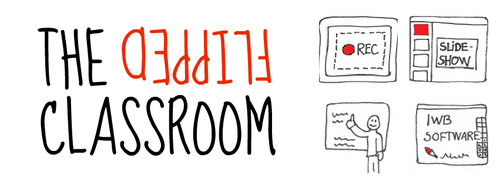
Differentiation,
inquiry-based instruction, personalization, flipped classroom, gamification and
grit are among the top education buzz words for 2015. Some sound kind of scary,
like grit while others sound warm and fuzzy like personalization. Most of these
buzz words are also intertwined into different buzzwords that describe many educational
trends occurring at once. Out of the words mentioned above, only a few consists
of a technology backbone. Flipped classroom is one of these technology-rooted
buzz words. Exactly what is a flipped classroom? How is this buzz word being perceived
by bloggers and blog commenters?
According
to Horn and Staker (1) a flipped classroom is a type of rotational model within
the blended learning framework. The flipped classroom is “so named because it
flips the typical function of the classroom on its head. In a classroom that’s
flipped students consume online lessons or lectures independently, whether at
home or during a homework period on campus. Time in the classroom, previously
reserved for teacher instruction, is instead spent on what we used to call
homework, with teachers providing assistance as needed”.
They
claim that this model can improve student learning in the following ways;
·Allowing students to go through lecture material
at their own pace, making the content more personalized. Students who need to
review may do so at their discretion and students who excel can skip material
in which they are proficient.
·Time with the teacher is more student-centered
and focused on the creation of projects, discussing issues, practicing the
content and applying their knowledge. This ensures the teacher is present while
students go through the trial and error period of testing their understanding.
I’m sure you’ve already filled
your brain with a few questions and possible pitfalls. You are not alone. A
quick Google search for “flipped classroom” will return a few blogs that
highlight the pros and cons of
flipped classrooms. And some of those blogs are rich with comments either
defending flipped classroom models, or comments asking questions and challenging
the reality of a flipped classroom.
One user commenting on the
Education Next article (2) with “If every class uses this method,
students receive twice as much instruction in the course of a week as they
would by simply attending school–the obligatory hour per class in school and an
additional hour per class outside of school to learn the material (plus their usual
homework?)”. Another, on Schools of Thought (3) “It would be interesting to
know exactly how much content is expected to be watched/researched/absorbed in
an evening, so for a child in 5 classes (Math, English, Science, Social
Studies, Elective/Language/etc.) – how much home learning would be required?”
At first these comments doesn’t make much sense. Most
of the literature on flipped classroom pretty clearly states that teachers
should be careful when assigning more work than what can be reasonably
completed both during class and outside of school. According to the Flipped Classroom Field Guide (4) “To avoid overworking your
students, try reducing their homework by focusing your learning goals and
trimming unnecessary content. If you are converting a dense, traditional
lecture to a flipped class, take this opportunity to remove content that only
tests student recall and does not further you’re learning goals. Instructors
could also try reducing class time to compensate for the increased amount of
out-of-class work.”
Further thought about the user’s comment regarding extra work and
out of school time required by students raises the question of scheduling. How
exactly do you schedule a flipped classroom? Most of us are used to a more
traditional schedule with 40-60 minute classes. Others are blessed with block
scheduling. Both can be “flipped”, with block scheduling being a little more
workable as is that a traditional period schedule.
Most sources refrain
from suggesting a schedule for flipped classrooms. They claim that flipped
classrooms are not one size fits all, and therefore there is no correct set-up
or schedule. However, an EdTech (5) article mentions the almost seamless
flipping of a block schedule classroom. “An advantage of Block
Scheduling is the additional class-time available for group assignments and
collaborative projects that serve to reinforce learning and improve critical
thinking skills, particularly evaluation and creativity.”
With a block schedule there is “work
time” immediately following “lecture time” (assuming the teacher doesn’t blab
the entire block). Students easily transfer the concepts without feeling a
disconnection between what is covered in lecture and what is done during
work/project time. Also, Edtech hints at one important fact, not all flipped
classrooms require outside of class work. Some classes, especially those with
block schedules, are able to give the students time to work through lecture
materials and then transition to the work period (where a project, discussion
or practice takes place) all while in the brick and mortar classroom!
Others see flipping as a scapegoat for teachers. Robinson Meyer from the Atlantic (6) wrote about study findings relating to improved student achievement in a flipped setting. Commenters were split on the findings and questioned if flipping was really in the best interest of the students;
“James_Blair•2 years ago
Wonderful.
We have somehow discovered that the old methods of the diplomia mills and
correspondence schools are "better" at teaching students than
traditional college courses. American higher eduction is headed for ruin. You
people are insane.